
A client came to us a few months back convinced they needed a custom AI agent built from scratch. They’d seen a competitor announce something similar and figured they were falling behind. Two conversations later, it turned out what they actually needed was a workflow that pulled leads from a form, checked them against a CRM, and sent a Slack notification with a summary. That’s an afternoon’s work in a no-code tool, not a six-figure engineering project.
That mix-up happens constantly right now, and it’s worth understanding why before you commit budget in either direction.
The Real Difference Isn’t “Easy vs. Hard”
The instinct is to think of no-code as the beginner option and custom development as the “serious” one. That’s not really how the tradeoff works in 2026. No-code AI platforms — tools like n8n, Dify, Relevance AI, or Lindy — have gotten genuinely powerful. They handle multi-step logic, connect to dozens of business tools out of the box, and let a non-technical person go from an idea to a working prototype in a single afternoon.
What they don’t handle well is the last stretch of any serious use case. One team we talked to put it plainly after fifty-plus deployments across fintech and healthcare clients: no-code tools reliably deliver the first 80% of an agent’s functionality — fast, visual, no engineer required. It’s the remaining 20% that trips people up. Custom error handling. Complex memory across long conversations. Domain-specific validation rules that don’t fit a dropdown menu. That last 20% is usually where you need actual code, whether that’s a developer extending the no-code platform or building something bespoke from the ground up.
So the real question isn’t “am I technical enough for this.” It’s “how much of my use case lives in that last 20%.”
When No-Code Is Genuinely the Right Call
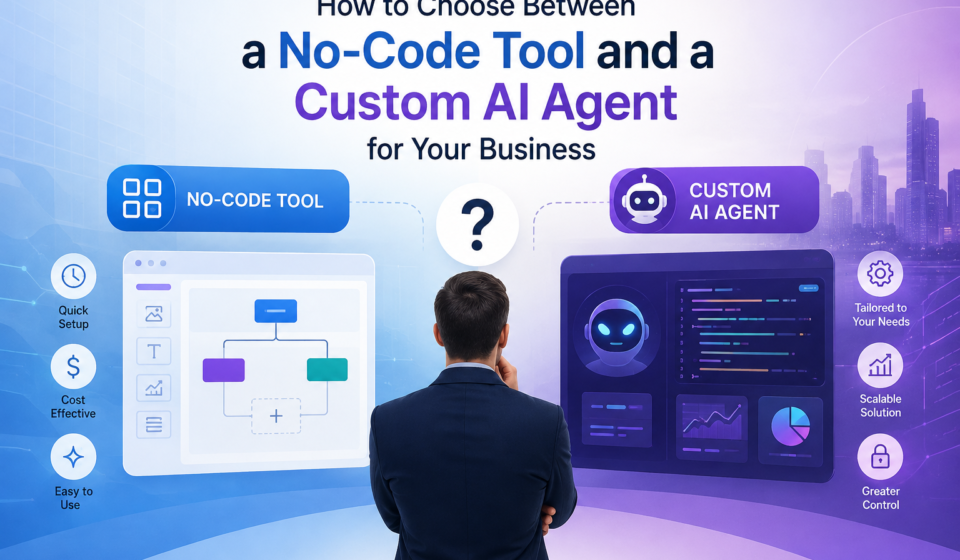
If you’re automating something that already has a clear, repeatable shape — routing support tickets, summarizing meeting notes, pulling data from one system into another, answering FAQs from a knowledge base — a no-code platform will get you there faster and cheaper than hiring a development team.
The numbers back this up. Teams using no-code AI platforms are reporting close to 40% faster time-to-market compared to building custom, and pricing generally sits in the $20 to $100+ per month range depending on usage tier, versus $75,000 to $500,000+ for a fully custom build. If you’re a small business or you’re validating whether an idea even works before you invest real money in it, that gap matters a lot.
There’s also an ownership benefit that gets overlooked. With a visual builder, the person who actually understands the business process — not just the engineer who translated it into code — can see the logic laid out as a diagram and adjust it themselves. That reduces the back-and-forth of “can you change this one condition” tickets sitting in a dev backlog for two weeks.
When Custom Development Actually Pays Off
The calculus flips once you hit a few specific situations:
You need real compliance guarantees. If you’re in healthcare, finance, or anything else where data residency, encryption standards, or audit trails aren’t optional, custom development gives you a much clearer path to meeting those requirements. No-code platforms are catching up here — several now offer SOC 2 and HIPAA-aligned tiers — but you’re still working within someone else’s architecture, which limits how much control you actually have.
Your workflow involves genuine ambiguity. No-code agents are still fairly weak at recognizing when they’re out of their depth and need to hand off to a human. If your process has a lot of edge cases that require judgment — not just “if this, then that” logic — you’ll hit a wall with visual builders faster than you’d expect.
You’re building something core to your product, not just internal ops. An agent that’s customer-facing and central to what you’re selling deserves the flexibility and long-term control that custom code gives you. Renting that capability from a third-party platform means your product’s core functionality lives inside someone else’s pricing model and someone else’s uptime guarantees.
Scale is a real concern. Some no-code tools genuinely struggle under heavy load — we’ve seen platforms hit multi-second delays and maxed-out CPU usage once usage climbs past a certain point. If you’re planning for real volume, not a pilot, that’s worth stress-testing before you commit.
The Honest Middle Path
Here’s the part most comparison articles skip: you don’t actually have to pick one lane and stay in it. The pattern we see working best for clients is prototyping in a no-code tool first, then graduating the specific workflows that prove valuable into properly engineered, custom-built systems. You get the speed of validation without betting real engineering budget on an idea that might not pan out, and you avoid over-building something that could’ve shipped in a week with the right visual tool.
It’s also worth being honest about vendor lock-in before you fall in love with a no-code platform. Plenty of teams end up stuck rebuilding a workflow from scratch later because it was too tightly wired into a proprietary tool’s ecosystem — one recent survey found that nearly three-quarters of stalled AI projects pointed to exactly that problem. If a no-code platform is where you start, keep the underlying logic documented and portable, so “graduating” it to custom code later isn’t a full rewrite.
A Simple Way to Decide
Ask yourself three questions before you build anything:
- Is this workflow well-defined and repeatable, or does it require judgment calls on a case-by-case basis?
- Does this need to scale to serious volume soon, or is it a proof of concept you’re still validating?
- Is this internal tooling, or is it something your customers will interact with directly?
Repeatable, low-volume, internal — start with no-code. Judgment-heavy, high-volume, customer-facing — you’re probably looking at custom development, or at minimum a no-code foundation with custom logic bolted on for the hard parts.
Most businesses don’t actually need to choose once and live with it forever. They need to know which question they’re answering right now.